For use with your own Twilio account
Every business number.
One phone.
TwiFusion turns the numbers in your Twilio account into a business phone on your mobile. Calls, texts, voicemail, phone menus, opening hours and your whole team, in one app that rings like a real phone.
14 days free, then £14.99 a month. Set up in minutes with the Twilio account you already have.
Setting up
Three steps. Then it rings.
There is no hardware to buy and no engineer to book. You type in two details from your Twilio account and the app wires your numbers up itself.
Create your business
A name for the business, your name, an email address and a password. That is the whole form.
Paste two things from Twilio
Your Account SID and Auth Token, copied from the Twilio console. They are stored encrypted on our server and never on a phone.
Tick your numbers
The app lists the numbers in your Twilio account. Tick the ones it should handle and they ring on your mobile from that moment.
What the app does for you at that moment
- Points each number you tick at the app, for calls and for texts
- Remembers how each number was set up before, and puts it back if you ever remove it
- Warns you first if a number is already in use by another system
- Makes what it needs inside your Twilio account, so you never open Twilio’s settings
Have the two details ready?
Your Account SID and Auth Token are on the front page of the Twilio console.
Start nowWhat it does
For calls, press 1.
For texts, press 2.
A whole phone system fits on twelve keys. Press any of them to see how that part works.
- 1Make and take calls on your business numbers, from your own mobile.
- 2Text from your business numbers, with every conversation in one place.
- 3Every number in your Twilio account, each with its own name, colour and rules.
- 4“For sales press 1, for billing press 2.” Built on your phone in a minute.
- 5A call nobody answers can leave a message, which you play in the app.
- 6Out of hours, nobody’s phone rings. Callers hear that you are closed.
Up close
The parts you will use every day
Key 1
Calls that find you, wherever the app is
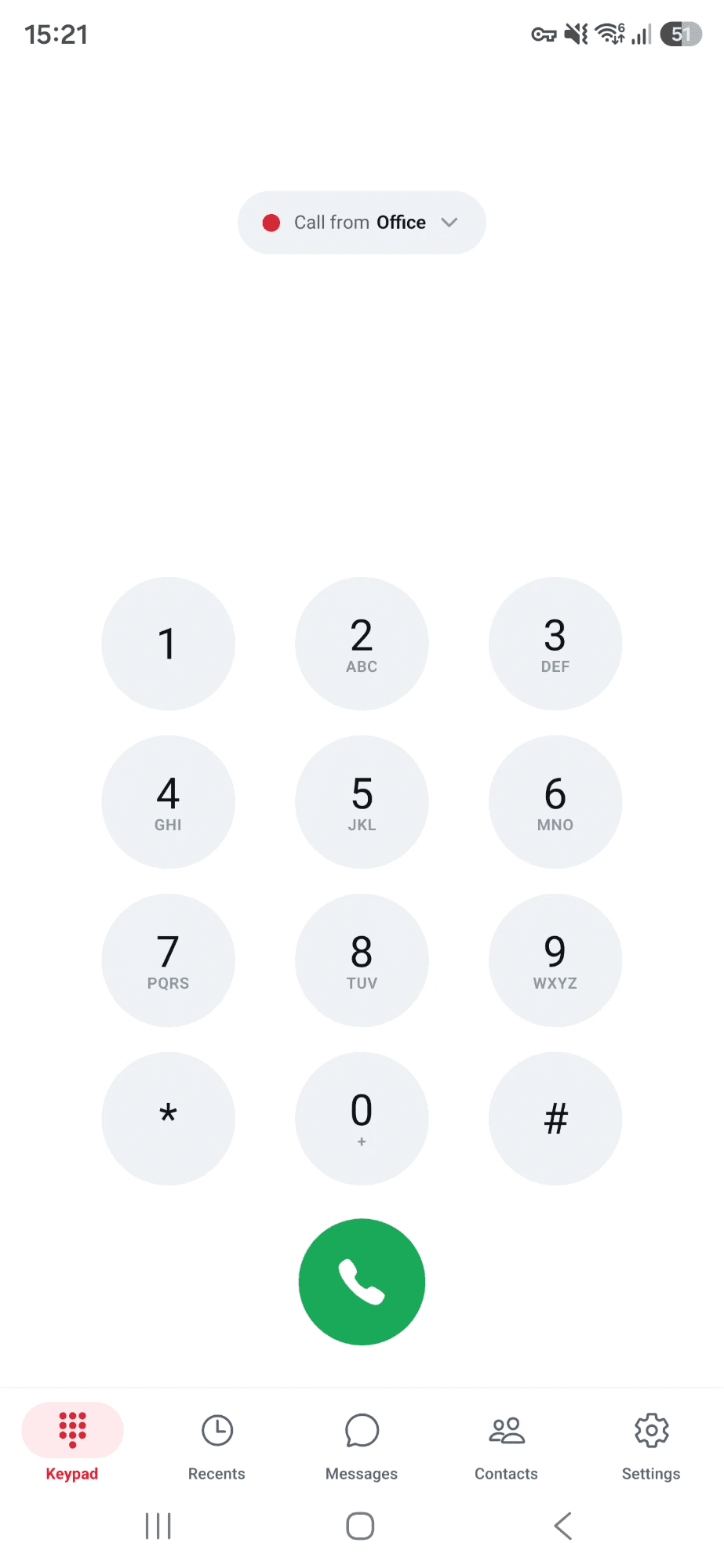
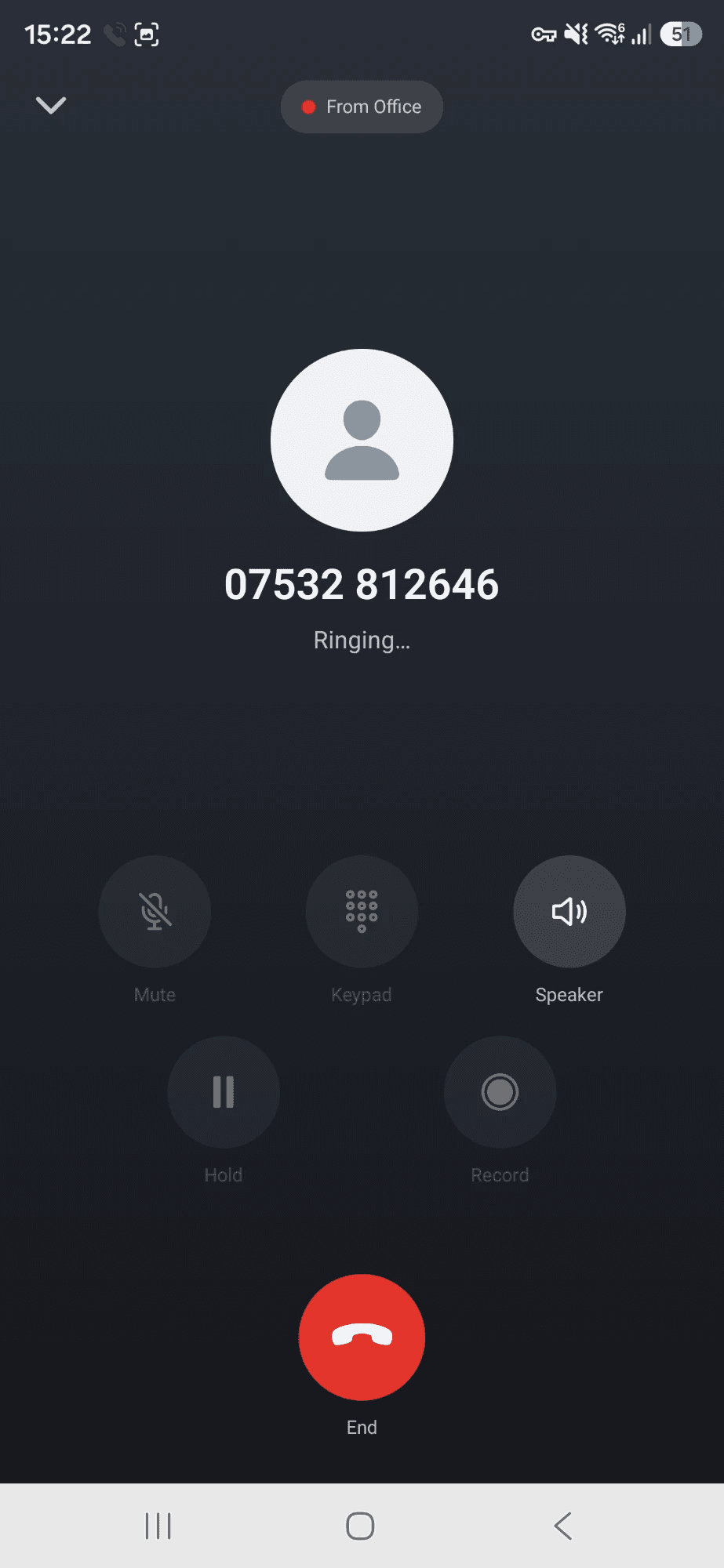
Your business number rings on your mobile like any other call, even when the app is closed. Ring out from the keypad, your contacts or your call history, and the person you call sees your business number, not your own.
- Rings when the app is closed, the phone is locked or you are in another app
- Mute, hold, speaker, Bluetooth and a keypad for other people’s phone menus
- A call history for each number, with voicemail and recordings on the call they belong to
Key 4
A phone menu you build with your thumb
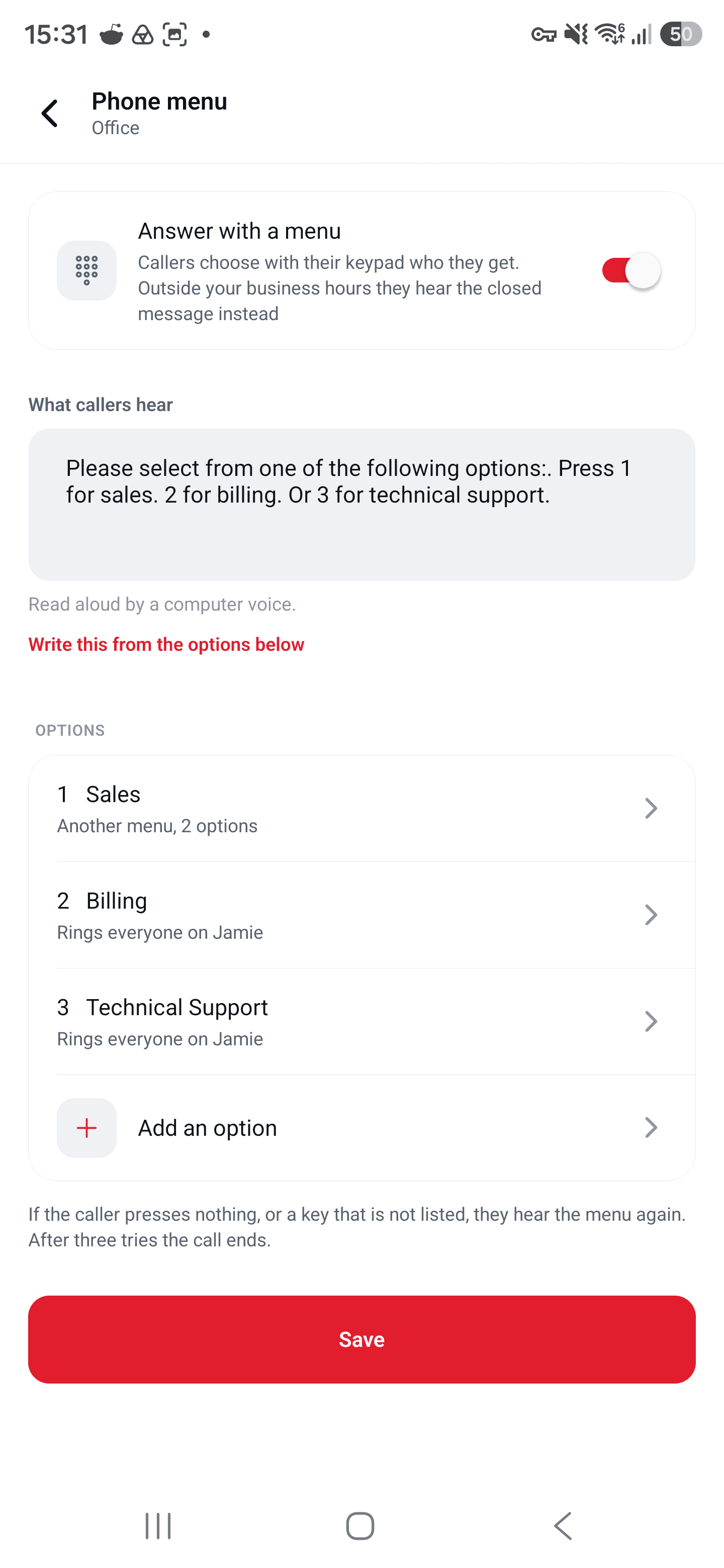
Give a number a menu and callers choose where they go. You write what they hear, decide what each key does, and the app does the rest. No flow builder, no code.
- Each key can ring everyone on one of your numbers, ring particular people, take a voicemail, speak a message, or forward to any outside phone
- Menus inside menus, up to three deep: “billing”, then “refunds”
- The phone that rings shows what the caller chose, such as “Billing › Refunds”, and so does the call history
Key 7
A team, without sharing a password
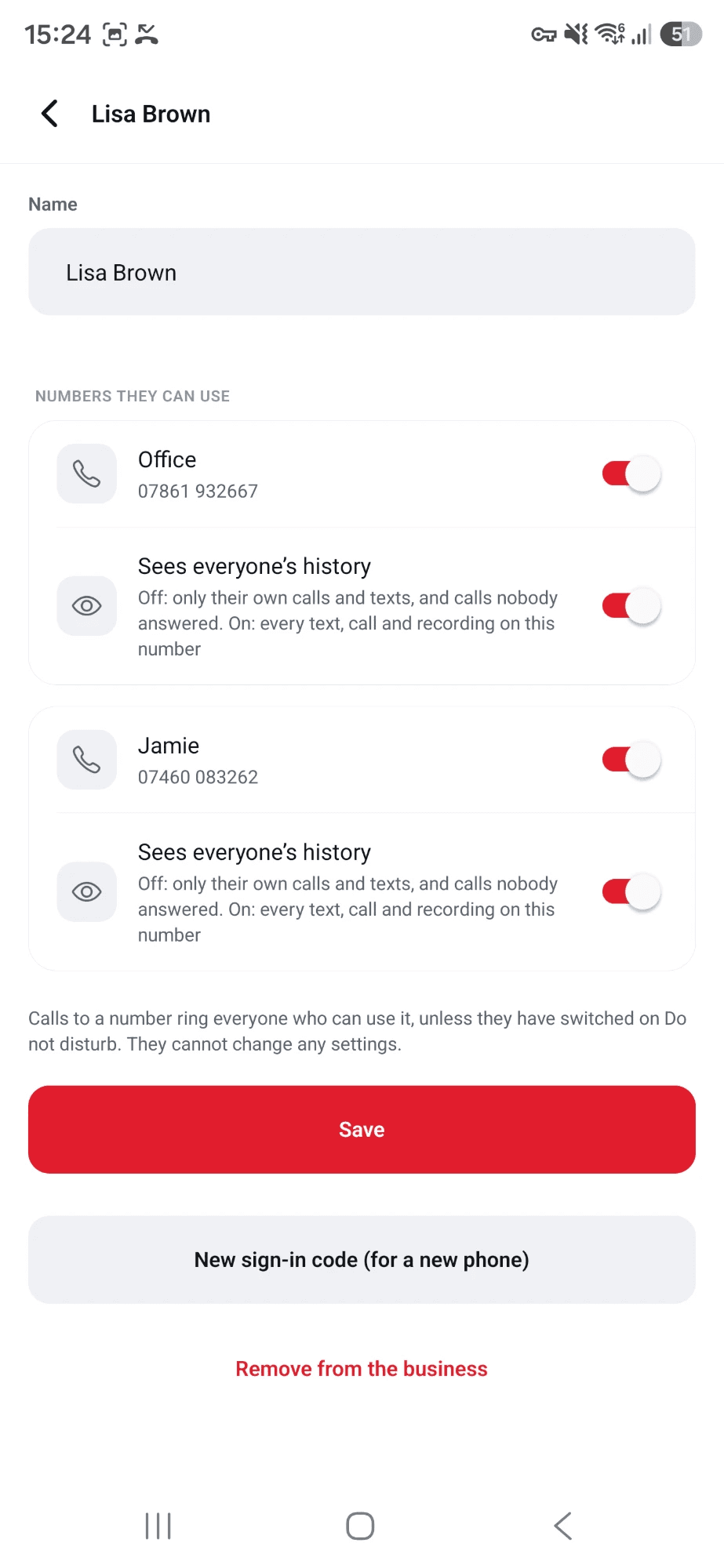
Add the people who answer your phones and choose which numbers each of them can use. They sign in on their own mobile with your business number and a one-time code. Nobody is ever given the Twilio details, or yours.
- For each number, a person either sees everyone’s calls, texts and recordings, or only their own
- A sign-in code works once, for one phone, for a day
- Team members cannot change how the business is set up
Key 2
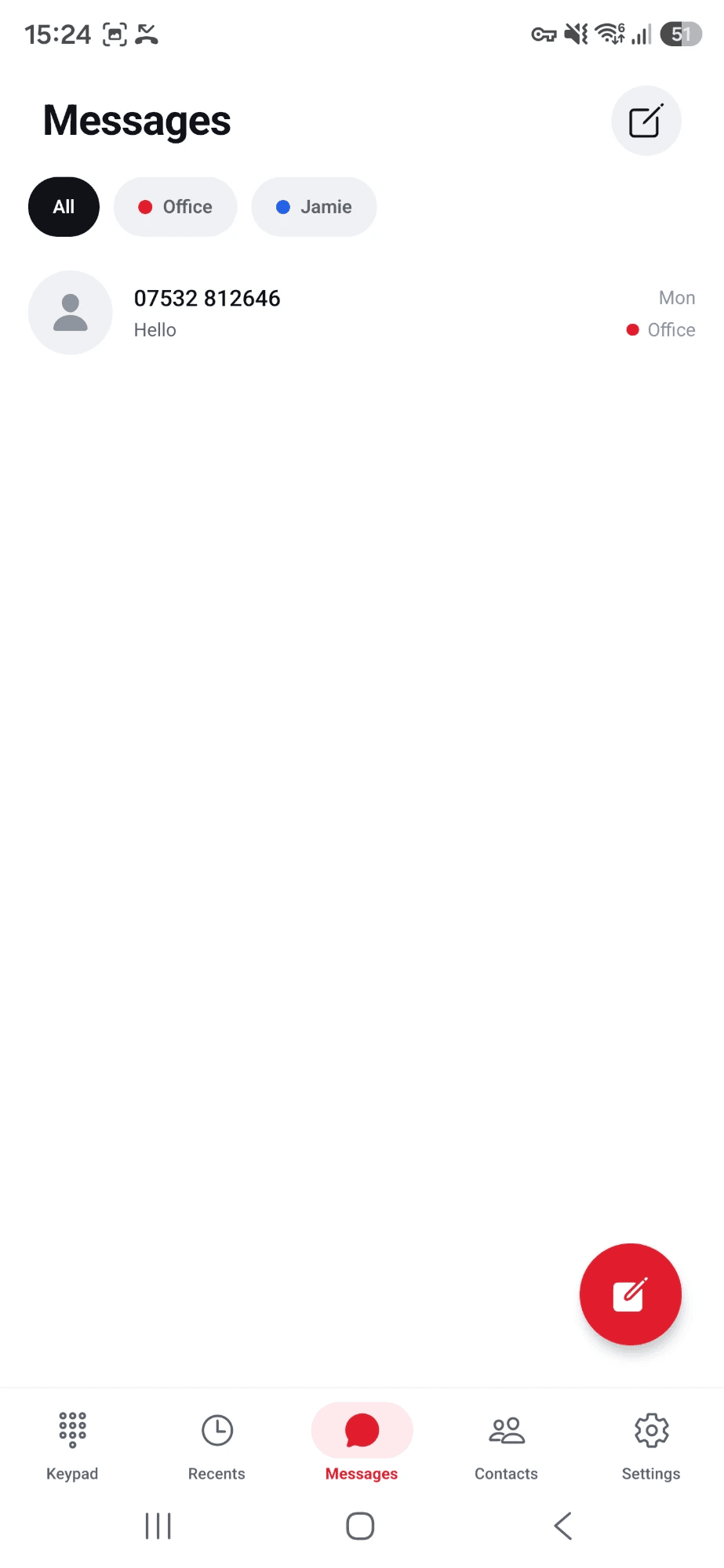
Texts, kept by number and by person
Send and receive texts on any of your numbers that can text. Each conversation remembers which of your numbers it belongs to, so a reply always comes from the number the customer wrote to.
- A notification for every new text, with the sender’s name when they are in your contacts
- Pictures people send you show in the conversation
- See when a text has been delivered, and why when one could not be
Yours, not ours
Your account. Your numbers. Your recordings.
- Twilio bills you, not us
- Numbers, minutes and texts are charged by Twilio to your own account at Twilio’s prices. TwiFusion adds nothing on top.
- Your details stay off the phone
- Your Twilio details are stored encrypted on our server. No phone holds them and no team member sees them.
- Recordings stay in Twilio
- Call recordings are made and kept in your own Twilio account. The app only plays them back.
- Leave whenever you like
- Delete your account in the app and your numbers go back to how they were. Nothing is held hostage.
Pricing
One plan. Everything on it.
No tiers to compare and no features kept back. Every key on the keypad is included.
£14.99a month
Free for the first 14 days. Twilio’s own charges for numbers, calls and texts are separate, and go on your Twilio account.
Questions
Before you sign up
Do I need a Twilio account?
Yes. TwiFusion is the phone; Twilio is the line. Your numbers, your calls and your texts all belong to your own Twilio account, and TwiFusion works with whatever numbers are in it.
If you already use Twilio, setting up takes a few minutes: paste in two details from your Twilio console and tick the numbers you want.
What will Twilio charge me?
Twilio charges your Twilio account for the numbers you rent, the minutes you talk, the texts you send and any recordings it stores, at Twilio’s own prices. That is between you and Twilio: TwiFusion adds nothing to it and never sees the bill.
TwiFusion itself is £14.99 a month, after 14 days free.
How do I pay, and can I cancel?
By card. You start with 14 days free: you add a card on the secure page of Stripe, the company that takes the payment for us, and the first £14.99 is taken when the trial ends, then every month.
You can change your card, see your invoices or cancel at any time from “Your account” on this website. If you cancel, you keep the app to the end of what you have paid for. Payment is only ever taken on the website, never inside the app.
Will it ring when the app is closed?
Yes. A call wakes the phone the way an ordinary call does, whether the app is open, closed or the phone is locked. On Android the call takes over the screen with Answer and Decline.
Some Android phones put apps to sleep to save battery. The app checks for that and shows you the one setting to change.
Is there an iPhone app?
The Android app is the one in use today. The iPhone version is being tested and is not available yet.
Can my team use their own phones?
Yes. You add each person in the app and choose which numbers they can use. They install the app on their own mobile and sign in with your business number and a one-time code. They never see your Twilio details or your password.
What happens to my numbers if I stop using it?
They are yours and they stay in your Twilio account. When you remove a number from the app, or delete your account, the number is handed back to the way it was set up in Twilio before.
You can delete your account from inside the app at any time. That removes your business and everything held for it on our server, and stops your plan.
Where are my Twilio details kept?
On our server, encrypted. They are never stored on a phone, and nobody on your team can see them.
Can I call 999, 112 or 911?
No. TwiFusion cannot connect calls to the emergency services and cannot tell them where you are. The app hands those numbers to your phone’s own dialler instead. Always keep another way of making an emergency call.
Am I allowed to record calls?
That depends on where you and your callers are. In many places you must tell people that a call may be recorded. A sentence in your welcome message, which every caller hears before the phone rings, is one way to do it.