Everything it does
A phone system, key by key.
Twelve keys, twelve things TwiFusion does with the numbers in your Twilio account. All of them are in the one plan.
Key 1: Calls
Calls that find you, wherever the app is
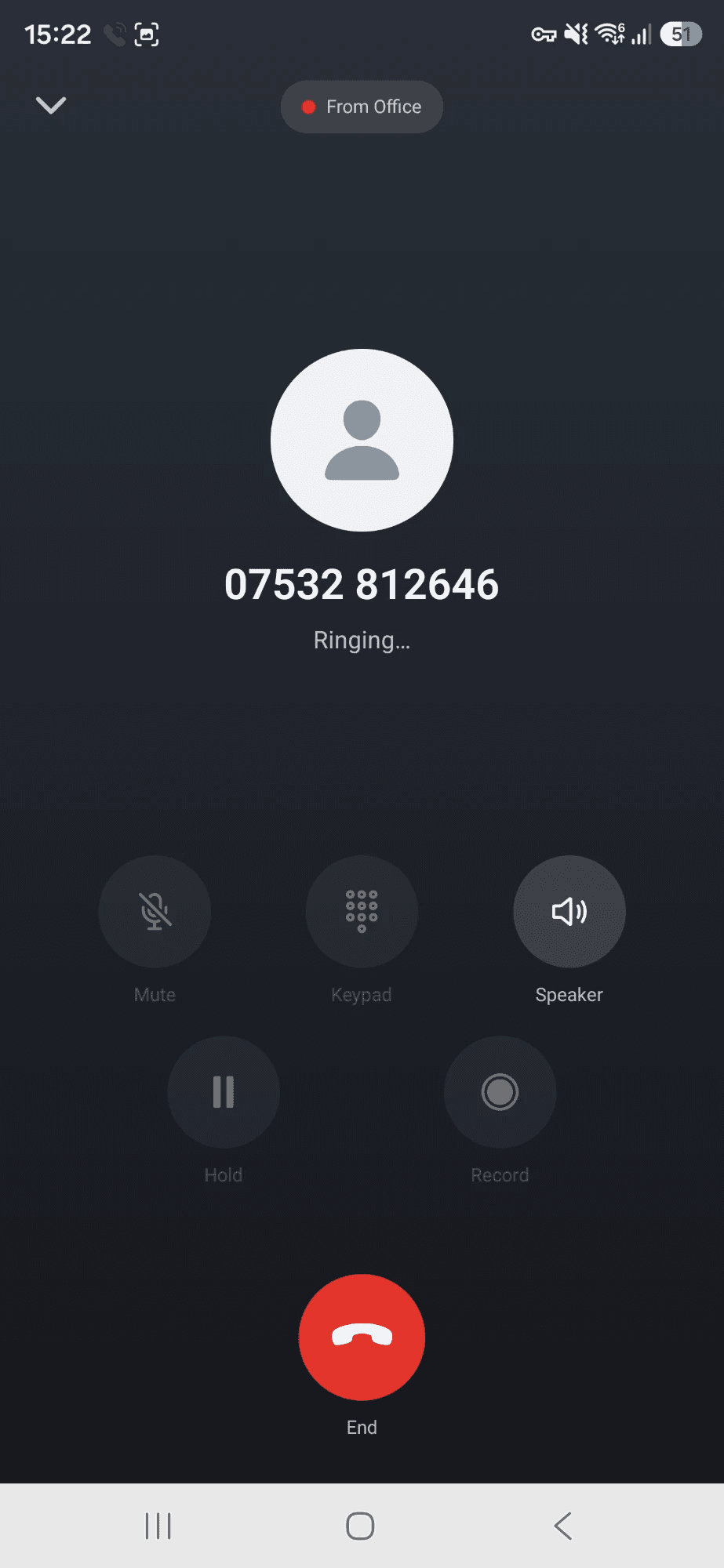
Your business number rings on your mobile like any other call, even when the app is closed. Ring out from the keypad, your contacts or your call history, and the person you call sees your business number, not your own.
- Rings when the app is closed, the phone is locked or you are in another app
- Mute, hold, speaker, Bluetooth and a keypad for other people’s phone menus
- A call history for each number, with voicemail and recordings on the call they belong to
- On Android, tap a phone number in any app and choose TwiFusion to call it from your business number
Key 2: Texts
Texts, kept by number and by person
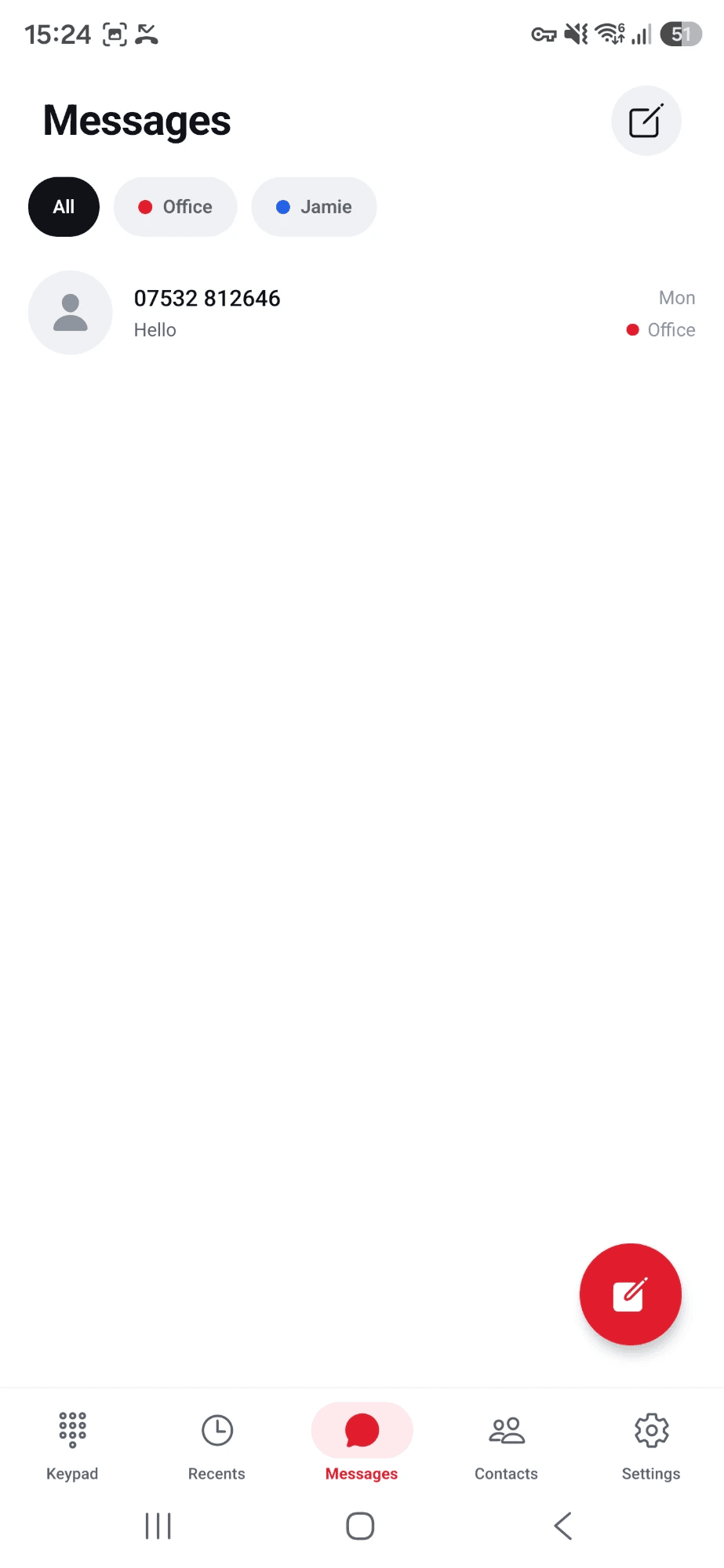
Send and receive texts on any of your numbers that can text. Each conversation remembers which of your numbers it belongs to, so a reply always comes from the number the customer wrote to.
- A notification for every new text, with the sender’s name when they are in your contacts
- Pictures people send you show in the conversation
- See when a text has been delivered, and why when one could not be
- Filter conversations by number when you have several
Key 3: Many numbers
One app for every number you own
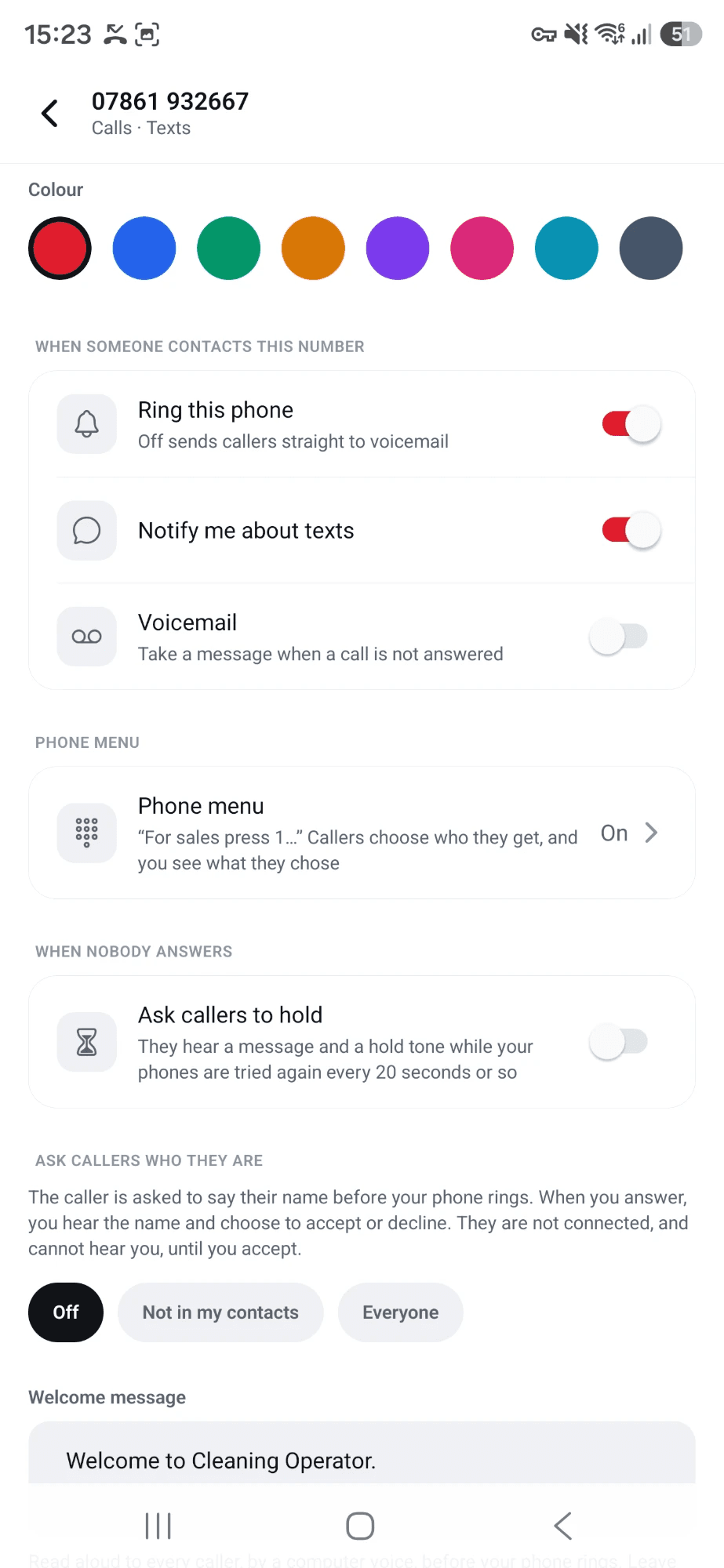
Add as many of your Twilio numbers as you like: sales, support, a second city, an old number you never dared switch off. Each gets a name and a colour, and its own greeting, voicemail, menu and team.
- Before each call or text, choose which number it goes out from
- An incoming call says which of your numbers was dialled, before you answer
- Settings are per number: one can go to a menu while another rings straight through
- Take a number out again and it goes back to the way it was set up before
Key 4: Phone menus
A phone menu you build with your thumb
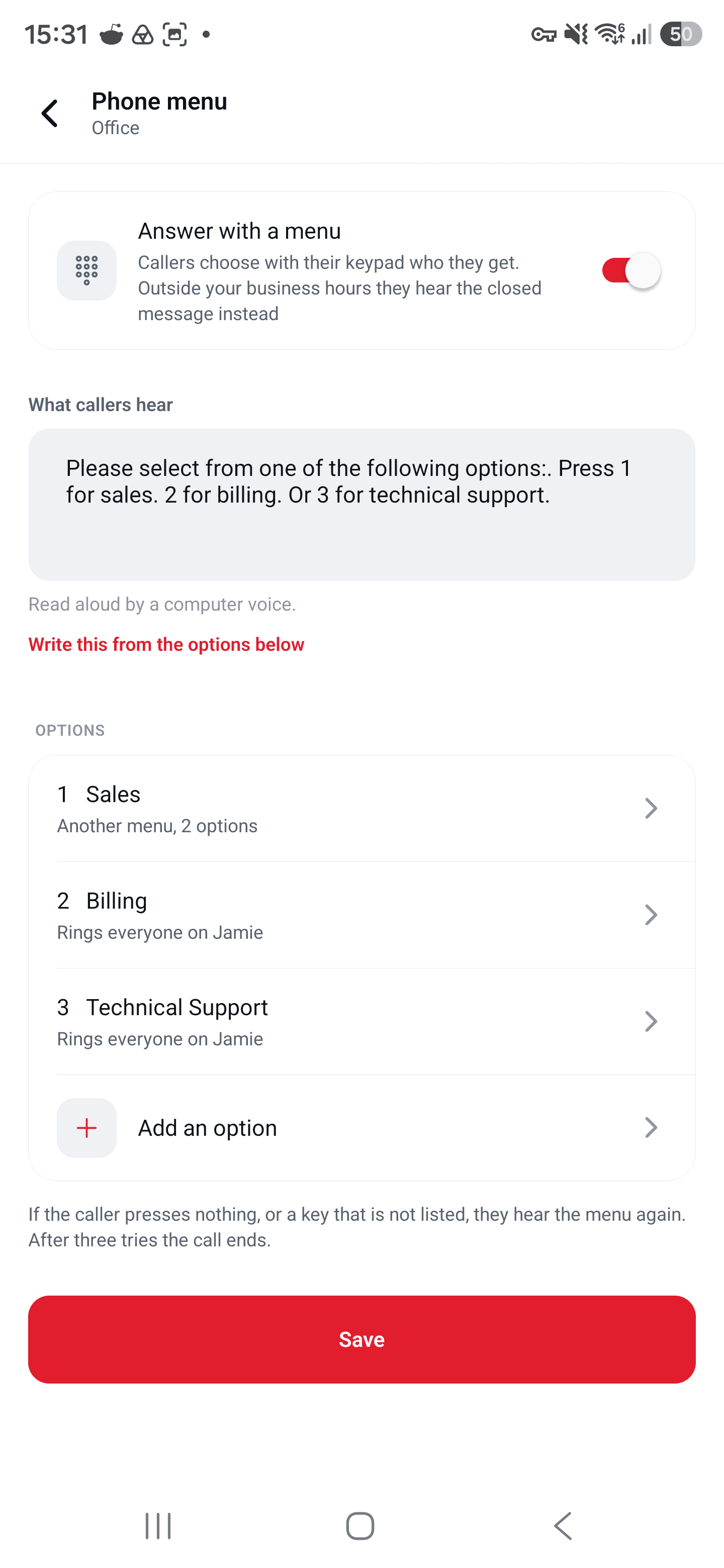
Give a number a menu and callers choose where they go. You write what they hear, decide what each key does, and the app does the rest. No flow builder, no code.
- Each key can ring everyone on one of your numbers, ring particular people, take a voicemail, speak a message, or forward to any outside phone
- Menus inside menus, up to three deep: “billing”, then “refunds”
- The phone that rings shows what the caller chose, such as “Billing › Refunds”, and so does the call history
- Optional words spoken privately to whoever answers, before they are connected
- A caller who presses nothing hears the menu again, and the call ends after the third time
Key 5: Voicemail
Voicemail that lives with the call
When nobody picks up, the caller is offered voicemail after 25 seconds. The message appears on that call in your history, ready to play, and you get a notification.
- Your own greeting for each number, typed in and spoken to the caller
- Switch voicemail off for a number that should simply ring out
- Notifications for missed calls and for new messages
- Delete a call and its message goes with it
public/screenshots/
voicemail.png
Recents
The call history with a missed call opened to show its voicemail and the play button.
Key 6: Business hours
Opening hours your phone respects
Set the hours you are open, day by day, in your own time zone. Outside them the business is quiet: callers hear your closed message and can leave a voicemail, and nobody is disturbed at home.
- One timetable for the whole business, with your own closed message
- Texts still arrive out of hours, ready for the morning
- Out of hours, the closed message plays instead of a number’s menu
- Each person also has their own Do not disturb for breaks and days off
public/screenshots/
business-hours.png
Business hours
The opening hours for each day and the closed message.
Key 7: Your team
A team, without sharing a password
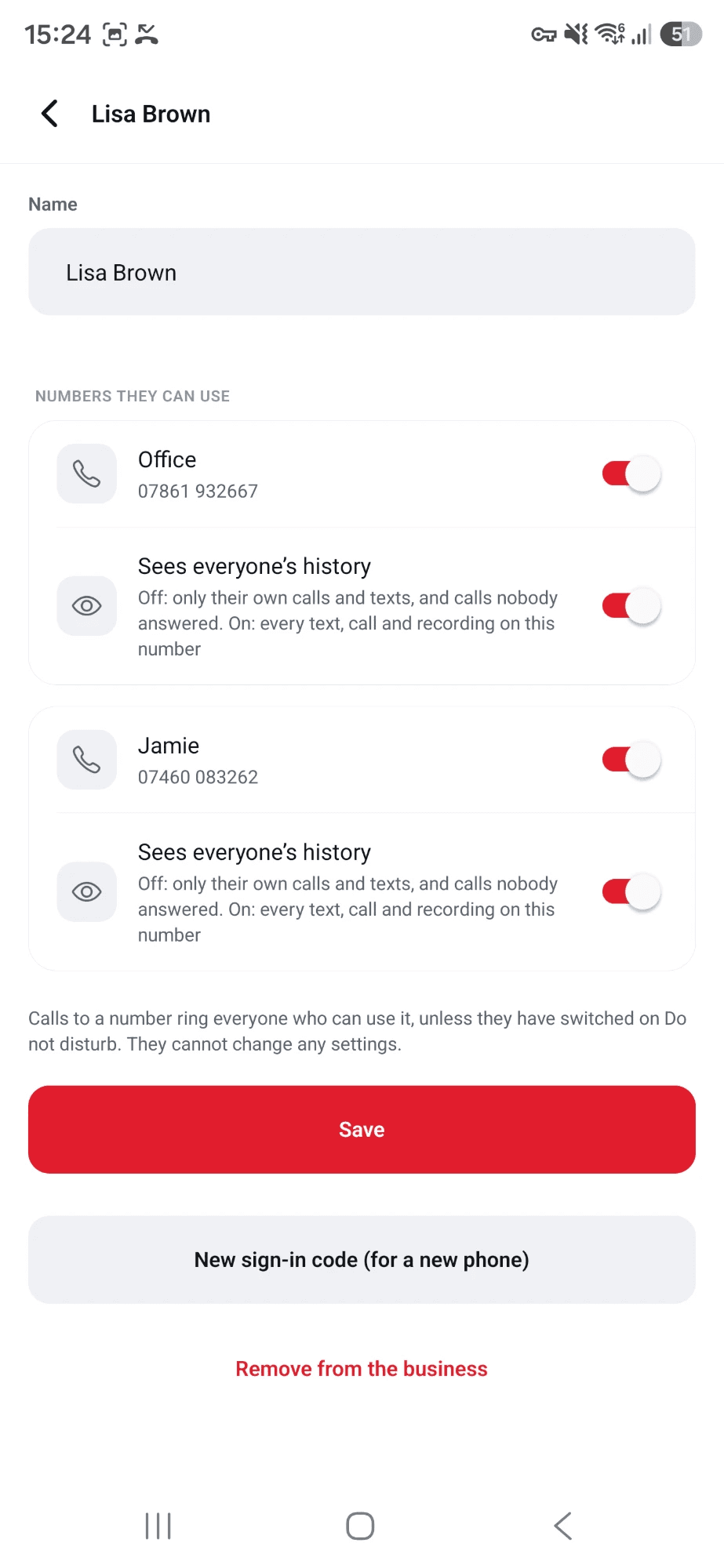
Add the people who answer your phones and choose which numbers each of them can use. They sign in on their own mobile with your business number and a one-time code. Nobody is ever given the Twilio details, or yours.
- For each number, a person either sees everyone’s calls, texts and recordings, or only their own
- A sign-in code works once, for one phone, for a day
- Team members cannot change how the business is set up
- Remove someone and their phone is signed out there and then
Key 8: Who is calling
Know who it is before you say hello
Switch on “Ask callers who they are” and a caller is asked to say their name. When you answer, you hear it privately and tap Accept or Decline. They only ever hear ringing.
- For everyone, or only for callers who are not in your contacts
- A caller you decline goes to voicemail, or the call ends: your choice for each number
- A welcome message of your own can be read to every caller before the phone rings
- Names from your contacts show on incoming calls and texts
public/screenshots/
screening.png
Screened call
A screened call after answering: “Listen for who is calling”, with Accept and Decline.
Key 9: Hold queue
A queue for the busy five minutes
With “Ask callers to hold” on, a caller nobody can answer hears a message and a hold tone while your phones are tried again every twenty seconds or so. Callers are answered in the order they started holding.
- Callers are told how many people are ahead of them
- They can press 1 to leave a message instead of holding
- You choose the longest anyone waits, from 30 seconds to 15 minutes
- The phone that rings shows how long the caller has been holding
public/screenshots/
hold.png
Held caller
An incoming call that shows how long the caller has held.
Key star: Recording
Recordings that never leave your account
Record every call from the moment it connects, or tap Record on the calls that matter. Twilio makes the recording and keeps it in your own Twilio account. TwiFusion plays it back to the people allowed to hear it.
- Pause and resume during a call: what was said while paused is left out
- A clear “Recording” marker on the call screen whenever it is on
- Each recording sits on its call in the history
- Delete the call and the recording is deleted from Twilio too
public/screenshots/
recording.png
Recording
The call screen with the red Recording marker.
Key 0: Your contacts
Your phone book, not another one to keep
TwiFusion reads the contacts already on your mobile, to put names on calls and texts and to dial from. Nothing is added to them or changed, and they stay on the phone unless you choose otherwise.
- Search your contacts and call or text them from any of your numbers
- Optional: show names even when the app is closed. That copies names and numbers to the server for you alone, and deletes the copy when you switch it off
- Add a new contact without leaving the app
- Each team member sees their own contacts, not each other’s
public/screenshots/
contacts.png
Contacts
The contacts list (blur or use made-up names).
Key hash: Rings properly
It rings like a phone, because it is one
On Android an incoming call lights the screen and takes it over, locked or not, with Answer and Decline. It rings through the loudspeaker at your ring volume, with a ringtone you choose, and it stays quiet when your phone is on silent.
- Pick any ringtone on the phone, and test how loud it will be
- A checklist in the app that says whether this phone will ring when the app is closed, and fixes what stands in the way
- A call on a locked phone shows the call and nothing else until the phone is unlocked
- Improvements arrive by themselves, without reinstalling
public/screenshots/
incoming-call.png
Incoming call
A call ringing full screen, with the caller’s name, the number they dialled, and Answer and Decline.
All twelve, £14.99 a month.
Twilio’s own charges for numbers, calls and texts are separate, and go on your Twilio account.